2026.05.12
The Notice of ARA2 Function Unavailability in Cubase 15.0.20+ with VOCALOID6 Editor
Thank you very much for your continued support of VOCALOID.
We have received reports of an issue in which, when using the ARA2 feature of VOCALOID6 Editor with Cubase version 15.0.20 or later, "VOCALOID Bridge Connected" does not appear on the VOCALOID VSTi screen even when the existing setup procedure is followed, preventing use of the ARA2 feature.
This issue may occur in the following situations.
- When launching a new instance of VOCALOID6 Editor within an open Cubase project
- When opening an existing Cubase project that contains a VOCALOID6 Editor instance already connected to VOCALOID Bridge
This issue also occurs in Nuendo version 15.0.20 or later.
We apologize for the inconvenience, and ask that you follow the steps below to confirm that the issue has been resolved if it occurs.
We sincerely apologize for any inconvenience or trouble this may have caused.
- Select the audio region on the audio track to which the "VOCALOID Bridge" extension has been applied, as shown below.
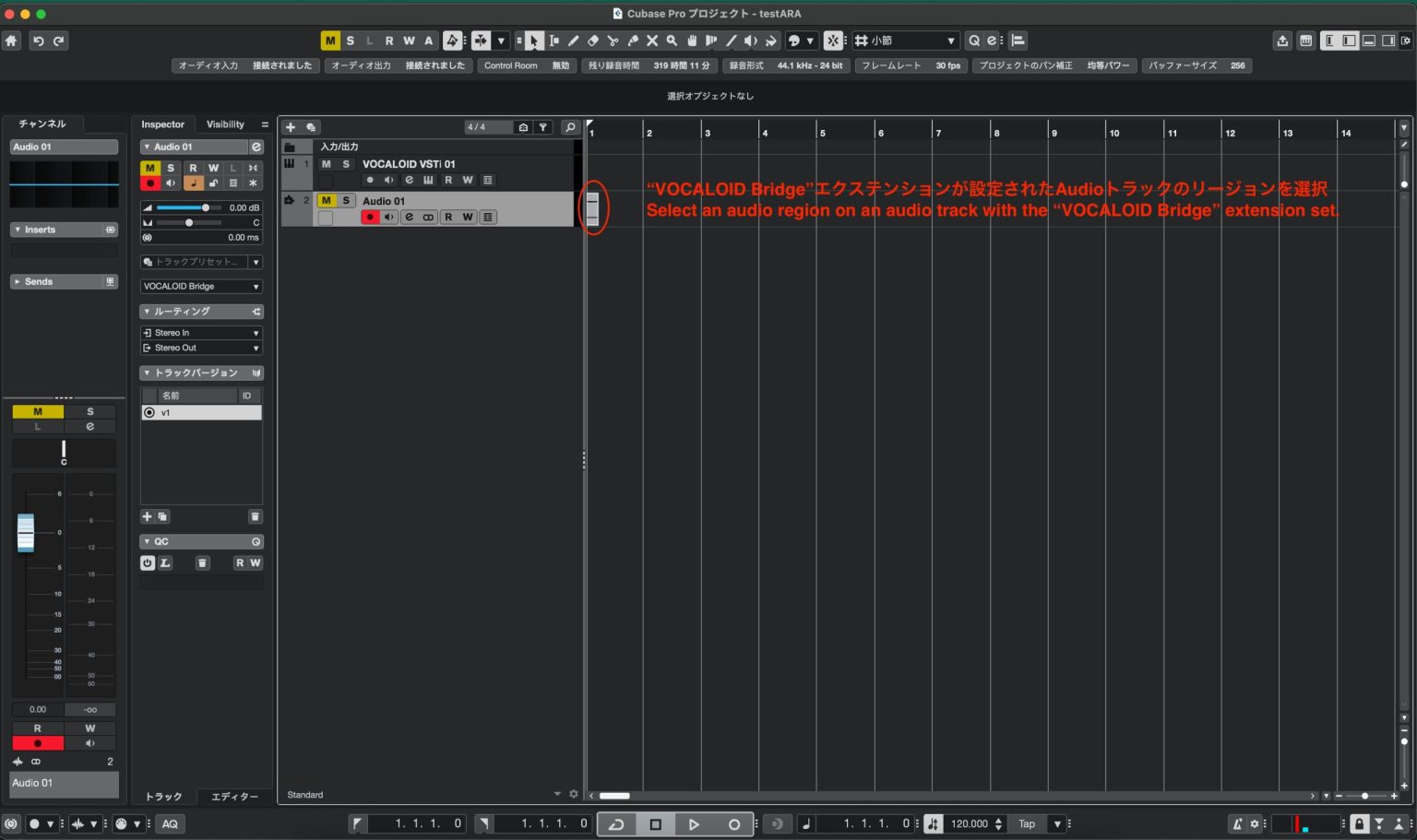
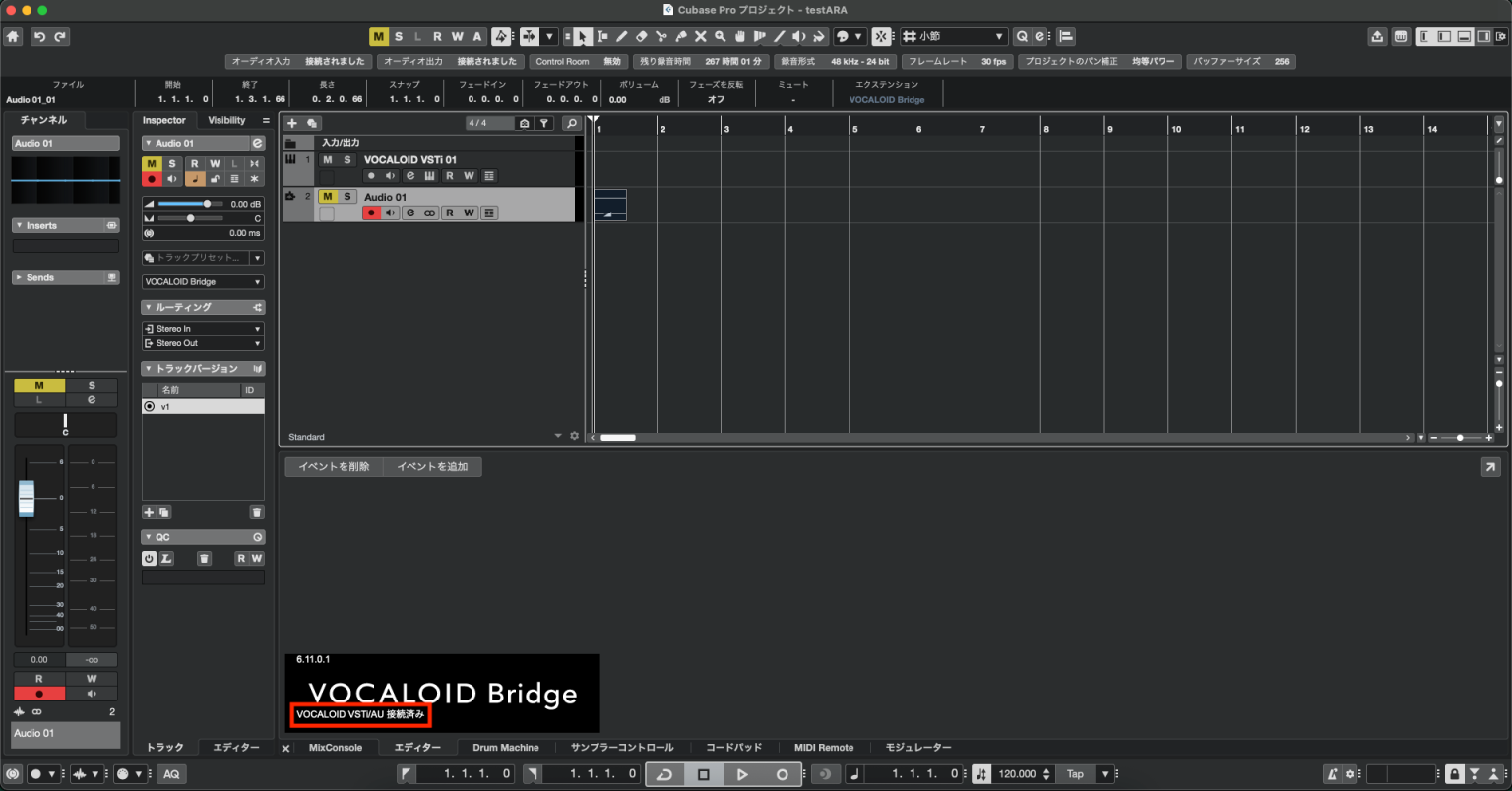
- Make sure the VOCALOID Bridge window appears in the lower zone of the Cubase screen and that "VOCALOID Bridge Connected" is displayed, as shown below.
- Follow the instructions in "5. Confirm Operation" here and verify that the ARA2 feature is available.
If the issue is not resolved after following the steps above, please contact our support team via the link below.