


-
Imagine the culture.
Imagine the future.Since its debut in 2003, VOCALOID has expanded the possibilities of musical expression and inspired a unique creative culture around the world
VOCALOID7 has evolved not only for creators, but also for everyone who enjoys the culture. Whether you create, explore, or return to creativity, it is designed to make the experience more accessible and enjoyable for everyone.
The next link in the chain of creativity begins with VOCALOID7.


Expand Your Creativity with VOCALOID7.
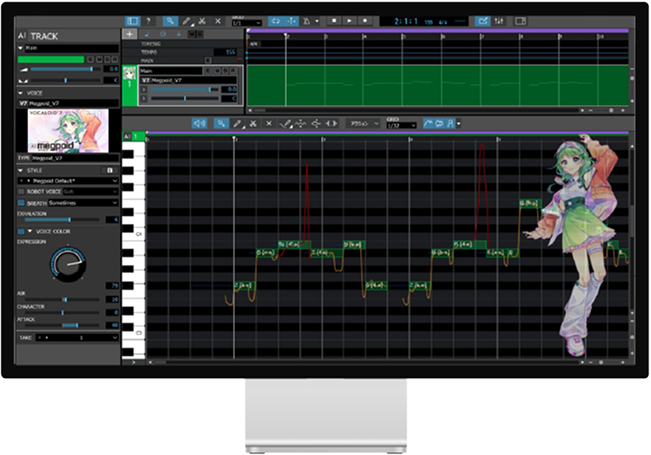
Second-Generation VOCALOID:AI
VOCALOID7 features an enhanced VOCALOID:AI, delivering more natural and expressive vocals. The VOICE TYPE feature allows users to switch between different vocal characteristics within the same Voice Bank, providing a wider range of expressive options to suit each song.
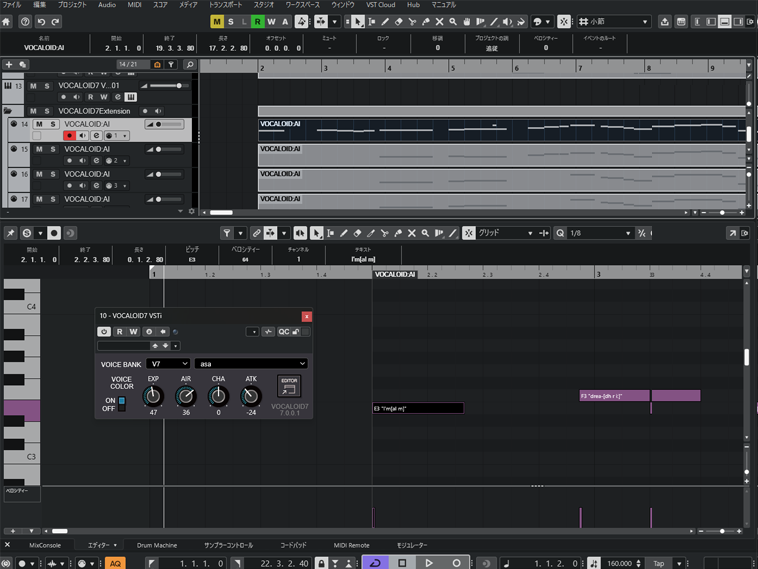
Seamless Integration with Cubase
VOCALOID7 offers enhanced integration with Cubase, allowing essential operations such as note and lyrics input to be performed directly within the Cubase Key Editor. Nobs such as EXPRESSION and ATTACK can also be adjusted using dedicated controls in Cubase, enabling a more efficient music production workflow. VOCALOID7 Editor also includes Cubase AI, allowing users to start creating music immediately.
Bundled Voicebank ”asa”
“asa” is a Voice Bank included with VOCALOID7 Editor.
Combining a clear, distinctive voice with a wide range of expressive capabilities, asa enables users to begin full-scale music production right away.

-
 Download this image and apply it directly to the VOCALOID7 UI.
Created by towaamelie Seeking Information on the Mysterious Entity Known as “asa”
It all began with a video posted on social media on October 16, 2025. Since then, sightings of an unidentified thought-form known as “asa” have gradually begun to emerge.
Creators are now using the hashtag #asa目撃情報 on social media, calling for new sightings, reports, and video footage related to “asa.”asa [朝] The period shortly after daybreak; also, the time from dawn until around noon.
A Large Selection of Voicebanks
Start creating vocals right away with the bandled “asa” voicebank. VOCALOID7 supports all voicebanks (voice libraries) from VOCALOID3 onward, and you can continue using project files created with previous versions.






FEATURES

Bundled Cubase AI
Cubase AI is included as standard, providing immediate access to a DAW environment for music production and enabling users to start creating music from day one.
*Excludes the upgrade version.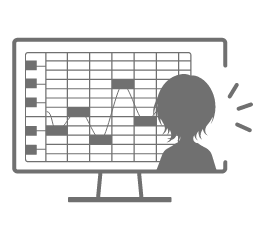
Character Image Support
Favorite characters can be displayed. Custom images can also be imported.
A Large Selection of Voicebanks
All voicebanks from VOCALOID3 through VOCALOID6 can be used as-is.

Pitch Curve Preservation
Synthesized pitch curves can now be preserved and locked, allowing them to be reproduced with different Voice Banks. This provides greater flexibility in selecting the preferred synthesis for vocal production.
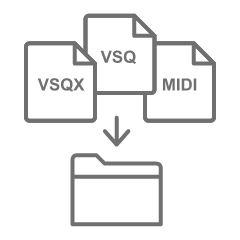
Import Various File Formats
Supports the import of various software sequence data formats. Song data created in other software can also be imported directly into VOCALOID.
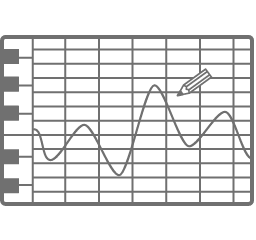
Freehand Pitch Editing
Pitch curves can be freely drawn directly on the notes in the piano roll using the Pencil tool.
Enhanced Parameters & VOICE TYPE
The new “ATTACK” parameter enables easy control over the definition of pronunciation, while the “VOICE TYPE” feature allows instant switching between different vocal tones.
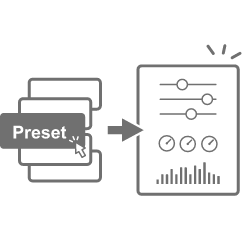
Style Presets
Choose from over 100 singing styles and vocal tones, from lead and chorus vocals to robotic voices. Complex combinations of parameters and effects can be recalled instantly.

Multilingual Support
VOCALOID:AI-compatible voicebanks can sing lyrics that combine Japanese, English, and Chinese.
MESSAGE
Artists’ Messages

OSTER project
As AI continues to advance, enabling increasingly realistic and human-like vocal expression, I feel that VOCALOID strikes an exquisite balance between natural expression and the unique qualities that make VOCALOID what it is. The editor has also become faster and more intuitive to use, making the creative process significantly more comfortable.

MikitoP
VOCALOID 7 is great! With the refreshed icon, it really feels like a fresh start, and I’m excited to get creating again. The integration with Cubase has also improved, cutting out a step or two from tasks that used to be a little frustrating, which is really nice. Personally, I especially like that I can now choose voicebanks by their cover art. I’m looking forward to spending more time with VOCALOID 7 and exploring everything it can do!

irucaice
I used “VX-β” a lot with VOCALOID6, so I’m really excited to see this feature officially introduced in VOCALOID7! Simply entering lyrics into the text field in the Cubase Key Editor lets you hear them sung right away, which is incredibly useful for Cubase users like me when I want to quickly get an idea of how the vocals will sound. I’m also really looking forward to the new voicebanks coming to VOCALOID7 and discovering what kinds of voices they will bring!

INE
As a longtime user of VOCALOID Editor for Cubase, I’m especially happy to see this integration. In the Cubase Key Editor, I can change lyrics, pitch, note placement, and note lengths seamlessly, without having to think about the underlying workflow. I can refine the arrangement while listening to the nuances of the vocals, bringing back that one-of-a-kind feeling of the song and vocals coming together as one. The new ATTACK parameter is also really interesting. Simply lowering the line gives the vocals a laid-back, almost languid feel.

Ichinose LUPO
The VOCALOID Editor has continued to evolve with updates that expand the possibilities for vocal expression, and with VOCALOID7, I feel I have even more freedom to pursue the exact kind of vocals I have in mind. The new “ATTACK” parameter makes it easy to intuitively fine-tune subtle nuances in pronunciation and consonants. This allows me to create more detailed expressions while bringing out the unique character of each Voice Bank. I also find the ability to preserve pitch curves particularly appealing, as it gives me the freedom to shape vocal performances around my own preferences and ideas, without being limited by the singing style of each Voice Bank. I’m really excited to explore these new features and discover new possibilities for vocal expression that I haven’t been able to achieve before.

Nejishiki
I’ve been using VOCALOID for Cubase in my music production for years, and with VOCALOID7, I feel the editor has become significantly easier and more intuitive to use. The quality of the singing voices has also improved, allowing me to achieve the vocal expression I have in mind more quickly than ever before. Creating and refining vocals now feels more seamless within my production workflow, making it easy to move smoothly from track production to detailed vocal adjustments. I’m really looking forward to exploring new possibilities for vocal expression in my future music production.

EO
I found it very intuitive to use, without the usual stress that comes with learning new software. The UI is also very clear, with everything neatly organized within a single screen. The editing interface feels similar to VariAudio in Cubase, so as a Cubase user, I found it very easy to understand. That said, I think even those who don’t use Cubase will be able to get familiar with it very quickly. There is also a guide-like feature called the “Context Menu,” which is very helpful whenever you’re unsure how to use a particular function, as it helps you understand what you can do right away. Overall, I feel that everything from the workflow and UI to the quality of the voicebanks has evolved significantly from previous versions. It’s a product I can confidently recommend to everyone, from beginners to professionals.

NOY
I’m really pleased with the improved integration with Cubase. It’s now much easier to start playback of the entire project, including the DAW tracks, directly from a position specified in the VOCALOID Editor, something that previously required some extra setup. Mute and solo controls for vocal tracks are also linked with the DAW. Since I prefer to work mainly in VOCALOID7 Editor when entering and editing vocal data, this improvement has made my workflow much more efficient. The updated VOCALOID:AI also seems to deliver more stable vocal results right from the start compared with previous versions, making it even easier to work with, especially for first-time users.